
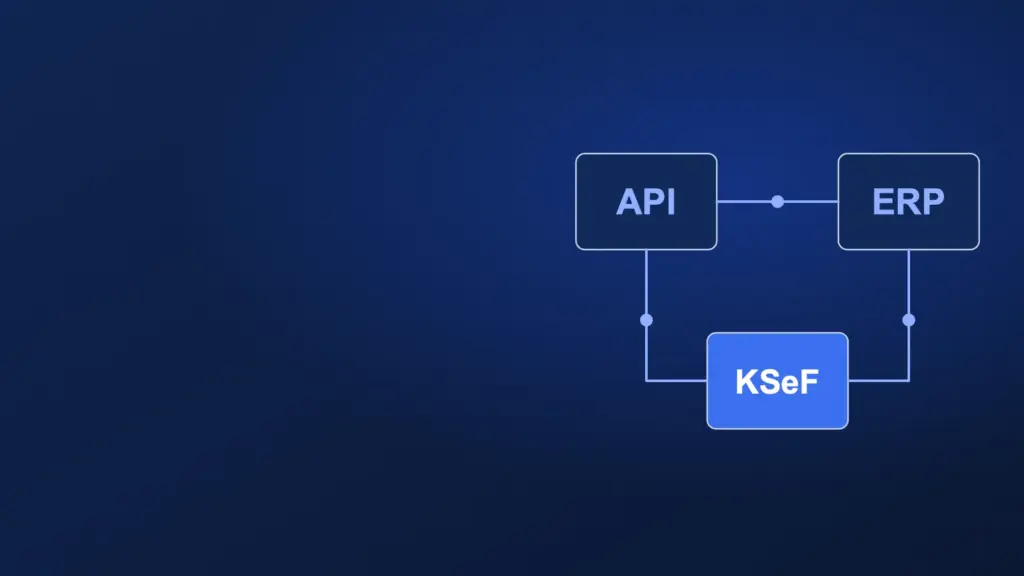
ERP integration works reliably when every document reaches the target system exactly once, in an agreed format, and every difference between the systems shows up in a report the same day. That takes four elements: a stable data exchange channel (preferably an API), a queue with retries, idempotent operations, and mapping dictionaries maintained by the accounting team. For companies that operate in Poland, KSeF, the National e-Invoicing System, adds a fifth: a source of invoices that are data from the start, not images.
A custom application rarely works alone. It pulls business partners and purchase orders from the ERP system, hands coded documents over to the accounting software and, in Poland, takes domestic invoices from KSeF. Whether ERP integration becomes a quiet background to daily work or a constant source of calls to the IT department is decided at the design stage. In this article we describe the engineering side in language that a person who orders software can follow: which decisions have to be made, what to ask your vendors, and how to recognise a well-designed connection. This is how we approach integrations when we build web and mobile applications for companies.
A word on KSeF for readers outside Poland. KSeF (Krajowy System e-Faktur) is Poland’s National e-Invoicing System: the state system through which companies issue and receive invoices as structured XML files. It has been mandatory in stages since 1 February 2026, so an application that handles the invoices of a Polish company has to take it into account. The rest of this article (channels, queues, idempotency, dictionaries, reconciliation) applies to an ERP or accounting system in any country. For the business picture of documents inside and outside KSeF, see our article on automating documents outside KSeF.
Legal status as of November 2026. This article is for information only and is not legal or tax advice.
What does ERP integration involve?
ERP integration means agreeing which data flows in which direction, at what moment and in what format between the application and the system, and then building a mechanism that performs and controls that flow. The connection technique itself is the smaller part of the work. The larger part is establishing which system is the source of truth for each kind of data, because without that, two systems start correcting each other.
| Data | Source of truth | Direction of flow |
|---|---|---|
| Business partner master data | ERP system | From the ERP to the application; new entries as a request from the application |
| Chart of accounts, cost centres, projects | ERP system | From the ERP to the application |
| Purchase orders and goods receipts | ERP, or the purchasing or warehouse system | To the application |
| Structured invoices | KSeF | From KSeF to the application, directly or through the ERP |
| Data read from documents outside KSeF | Application | From the application to the ERP |
| Account coding and approval history | Application until export, then the ERP | From the application to the ERP |
| Number assigned in the books, payment status | ERP system | From the ERP to the application |
A table like this should be drawn up at a workshop before anyone writes the first line of code. Three parties sign off on it: the accounting team, the person or partner who looks after the ERP system (the ERP administrator), and the application contractor. Every later discussion about “why the business partner has a different name in the ERP” ends sooner when you can go back to the table. How documents turn into verified data before they reach the export is described in our article on automated accounting document processing.
API, file exchange or database: how should you connect an application to the system?
The best channel is the system’s documented API, file exchange is a reasonable option when there is no API, and writing directly to the system’s database is a last resort. The choice depends less on what developers prefer and more on what your system actually exposes and what its vendor allows.
| Method | How it works | Advantages | Limitations |
|---|---|---|---|
| API (REST, SOAP, GraphQL) | The application calls the system’s operations: “create document”, “get business partner” | Validation on the system’s side, an immediate response, error handling at the level of a single document | Sometimes licensed separately, has call limits, changes between versions |
| File exchange (CSV, XML, JSON) | The application saves a file in an agreed directory or on an SFTP server, and the system imports it on a schedule | Available in many systems, simple to audit, files can be kept as evidence | Delay, weaker feedback on errors, risk of a partial import |
| Database: reading from views | The application reads data from prepared read-only views | Fast access to dictionaries and statuses | Dependence on a database structure that can change after an update |
| Database: writing | The application writes to staging tables or, in the worst variant, straight to the system’s own tables | Works where there is no other way | Writing to the system’s tables bypasses its logic and checks; you have to confirm that the vendor permits it |
In practice the connection is often mixed: dictionaries are read from views, documents are sent through the API, and where the API lacks an operation, a file is imported. A mix is fine as long as each flow has one owner and is described in the documentation. Simple flows, such as passing a file on, sending a notification or synchronising a small dictionary, can be built on an automation platform such as n8n. When documents are posted to the books, the requirements for control and reproducibility grow, and they usually justify an integration module written for the specific system.
ERP API: questions for the system vendor
- Does the system have a documented API, and does it require an additional licence or module?
- Which objects can be created and changed through the API, and which can only be read?
- What are the limits on the number of calls and on data size?
- Does the API accept an external document identifier or an idempotency key?
- Is a test environment with a copy of the configuration available?
- How does the vendor announce API changes, and how long does it support previous versions?
- Can the system send notifications about events by itself (webhooks), or does it have to be polled?
Why use queues and retries if the API responds straight away?
A queue separates the moment a document is ready to be sent from the moment the target system is able to accept it, so a failure, a maintenance window or a call limit on one side does not stop work on the other. Without a queue, the accountant clicks “approve”, the application calls the ERP, and if the ERP happens to be running a backup, the user sees an error and does not know whether the document was saved.
In the queue model, approving a document finishes immediately and a “send to ERP” job goes into the queue. A separate process picks up the jobs and executes them at a pace the target system can take. The mechanism has several parts:
- Retries with a growing interval. After a failed attempt, the next one follows after a short while and the one after that after a longer time. This protects the target system from a flood of retries at the very moment it is coming back to work.
- A retry limit and a dead-letter queue. A job that has failed despite many attempts goes to a separate queue (the dead-letter queue) and waits for a human decision. It does not block the others.
- Order of dependencies. A new business partner has to exist in the ERP before the invoice that refers to it. The queue must respect that.
- Outbox pattern. The change of the document’s status and the send job are saved in one database transaction. This way there is never an “approved” document that nobody ever sent.
- Rate limiting. The application keeps to the call limits instead of learning about them from error messages.
The user does not need to know these terms. What they should see next to the document is a clear status: “waiting to be sent”, “sent”, “confirmed in ERP” or “error, decision required”, together with the cause described in plain language.
What is idempotency and how does it protect against double posting?
Idempotency means that the same operation can be performed many times and the effect will be the same as after a single execution. In integrations it is a necessity, because a queue with retries guarantees delivery at least once, not exactly once.
An illustrative scenario: the application sends an invoice to the ERP and the system saves it, but the response is lost because of a brief network interruption. When the timeout expires, the application treats the attempt as failed and tries again. Without protection, two identical documents appear in the books, and the error comes to light during balance reconciliation or as a double payment.
The protection has several layers:
- Idempotency key. The application gives the operation a unique identifier and sends it with every retry. A system that supports this returns the result of the first execution when it sees a repeat.
- External identifier in the ERP. If the API does not know idempotency keys, the application stores its own identifier in a field of the document and, before every write, checks whether a document with that identifier already exists.
- Business key. For KSeF invoices, the natural key is the unique number assigned by the system. For other documents it is a set: business partner, document number and issue date.
- Uniqueness constraint in the database. The application’s database and the staging tables reject a second record with the same key, whatever the code does.
- Document statuses. A document moves through the statuses in sequence: received, verified, approved, queued, sent, confirmed. Exporting it again requires a deliberate operation by an authorised person and stays in the history.
A separate decision is what happens after the export. The safest assumption is that from the moment of confirmation the ERP owns the document, and the application shows it read-only together with the number assigned in the books. Corrections are then made in one place and according to the accounting team’s procedures.
Mapping dictionaries: business partners, ledger accounts and cost centres
A mapping dictionary translates values from one system into the values of another. The application knows a business partner by its NIP (the Polish tax identification number), while the ERP knows it by its own identifier. The invoice states a tax rate, while the ERP expects an internal code. A missing mapping is a typical reason for a rejected document, and no amount of retrying will fix it, so dictionaries have to be designed as carefully as the channel itself.
| Dictionary | What it translates | Typical problem | Solution |
|---|---|---|---|
| Business partners | NIP or a foreign identifier into the identifier in the ERP | Duplicate master records, branches under one NIP, foreign suppliers without a NIP | A rule for choosing the master record, a process for setting up a new business partner with approval |
| Ledger accounts | Cost category into an account from the chart of accounts | The chart of accounts changes from the new year | Mappings with validity dates |
| Cost centres and projects | Department, job or project into a dimension in the ERP | Closed projects, new departments | Synchronisation with the ERP, blocking of inactive values |
| Tax codes | Rate and type of transaction into a code in the ERP | The same rate, different codes depending on the type of purchase | Rules set and approved by the accounting team |
| Currencies, units of measure, payment methods | The notation on the document into a dictionary value | Different notations of the same value (“pcs”, “pc.” or the Polish “szt.”) | A list of synonyms; an unknown value stops the document |
| Document types and registers | Type in the application into a register or series in the ERP | A new document type with no register assigned | A completeness check of the dictionary before a new type goes live |
Three rules save the most trouble. Dictionaries are maintained by the accounting team on an administration screen, not by a developer in the code. Every mapping change has an author, a date and a validity period. A missing mapping stops the document and creates a task for the right person; the application never substitutes a default value “just to get it through”.
KSeF integration: structured invoices as a data source
For the integration architecture, KSeF is one more source system, except that its format is defined officially. An invoice in KSeF is a structured invoice, that is an XML file in the logical structure FA(3) (FA_RR for VAT RR invoices), and the system assigns it a unique identifying number. The obligation to issue invoices in KSeF started on 1 February 2026 for taxpayers whose sales including tax exceeded PLN 200 million in 2024, and on 1 April 2026 for the remaining taxpayers. There is a transitional exception until the end of 2026 for taxpayers whose monthly invoiced sales do not exceed PLN 10,000 gross. Receiving invoices through KSeF has been mandatory since 1 February 2026. The dates and legal acts are collected on the Ministry of Finance page Legal basis and key dates (in Polish).
For a project, this leads to several decisions:
- Reading disappears, validation stays. Fields do not have to be recognised from an image, but it is sensible to check the downloaded file against the logical structure and the data against the company’s rules: the business partner exists in the master data, the invoice agrees with the order, there is no duplicate.
- The original stays untouched. The application stores the downloaded XML file unchanged and, next to it, its own data model. The way one is translated into the other is versioned.
- The KSeF number is the key. By this number the application recognises that it has already downloaded an invoice, and by this number it reconciles the registers.
- Downloading has one owner. If the ERP system downloads invoices from KSeF itself, you have to decide whether the application takes them from the ERP or directly from KSeF. Two independent downloads mean two registers that someone then has to reconcile.
- The version of the structure is a parameter. The designation FA(3) contains a version number, so the code should not assume that the structure will stay the same for ever. Format handling is best enclosed in a separate module.
The authentication method, the limits, the available environments and the details of the KSeF interface operations are defined in the documentation of Poland’s Ministry of Finance. They can change independently of your project, which is why we do not give them in this article. You should expect a contractor to work from the current version of the documentation and to isolate communication with KSeF in a separate layer that can be updated without touching the rest of the application.
KSeF is not the only source of documents. Invoices from foreign suppliers, pro forma invoices and debit notes do not go to it, as the Ministry’s page Scope of mandatory KSeF (in Polish) describes. The ERP export module should therefore accept documents from both sources in the same data model.
How do you check data consistency? Reconciliation reports
Data consistency is checked by a reconciliation report: a recurring comparison of what the application believes it has sent with what the target system actually contains. Queues and idempotency reduce the number of discrepancies, but only reconciliation proves that there are none. The report is produced in fixed steps:
- Scope. The period, register and document type, for example purchase invoices from the previous day.
- Two lists. The application fetches a list of documents from its own database and one from the ERP, each with the key and the most important fields.
- Comparison. The result divides documents into three groups: only in the application, only in the ERP, and in both systems with a difference in amount, business partner, date or status.
- Control totals. The number of documents and the net, VAT and gross totals, broken down by currency.
- Owner of the difference. Every discrepancy gets a responsible person and a clarification status.
- Closing. A report with no differences, or with the exceptions described, is archived as evidence of the control.
A daily report catches problems before they grow. A report before month-end closing gives the chief accountant confidence that the full set of documents is in the books. With KSeF invoices the comparison gains a third side: what the application downloaded from KSeF, what it has in its register, and what reached the ERP. How to confirm that the download itself is complete depends on what the interface offers and has to be established from the current documentation.
Error handling: what happens when the system rejects a document?
A rejected document must not disappear or get stuck without an owner: the application recognises the type of error, retries what has a chance of succeeding, and passes the rest to a specific person with a clear description of the cause. The worst possible design treats all errors alike and retries for ever something that will never succeed.
| Type of error | Example | How the application reacts | Who acts |
|---|---|---|---|
| Transient technical | No response, ERP maintenance window | Retries with a growing interval | Nobody, until the retry limit is exceeded |
| Call limit | The system refuses because of too many requests | The queue slows down | IT, if the situation recurs |
| Authentication | Expired credentials of the service account | The queue is paused, an alert is raised | Administrator |
| Data | Missing mapping, inactive business partner, closed accounting period | No retries, a task with a description | Accounting team |
| Conflict | A document with this key already exists | Comparison with the existing one, marked as confirmed or as a discrepancy | Accounting team if there is a discrepancy |
| Change after an update | After an ERP update the API rejects the existing format | The flow is paused, an alert is raised | Contractor and ERP administrator |
Monitoring and alerts
An integration is watched through a few simple indicators: queue length, age of the oldest job, error rate, time since the last successful dictionary synchronisation, and the result of the last reconciliation. An alert should go to a person who can do something about it and should say what happened. We write about choosing alerts in the article on 24/7 monitoring, and about duties after go-live in the article on application maintenance after launch.
Security of the integration channel
The service account through which the application connects to the ERP should have only the permissions the integration needs. Credentials are kept in a secrets store, not in the code or in a configuration file in the repository, and they are rotated periodically. Transmission is encrypted, access is restricted to known addresses, and the event log records who sent what, without copying the full content of documents. The points where systems meet are also a natural scope for penetration testing. If the application uses language models, it also faces the risks described in our article on AI application security.
Test environments: how do you test an integration without risk to the books?
An integration is tested on a separate instance of the target system with a copy of the configuration and test data, never on the production books. The lack of an ERP test environment is one of the risks that have to be disclosed before the contract is signed, because it changes how the project is run.
The test plan should cover not only the correct path but, above all, the unusual situations:
- sending the same document twice and checking that there is one in the ERP,
- switching the target system off during sending and checking that the queue finishes the work once it is back,
- a document with a business partner that is not in the master data, and one with a value that has no mapping,
- a document in a foreign currency, a document with several tax rates, and a document with a very large number of line items,
- an attempt to write to a closed accounting period,
- a load that corresponds to the month-end peak, which is a job for performance testing,
- reconciliation after each series of tests: the report must show exactly the differences that were introduced on purpose.
Integration tests are best automated and run with every code change, as part of the process we describe on our DevOps services page. Test data should be anonymised or synthetic, because accounting documents contain personal data. Whether a test environment is available on the KSeF side, and on what terms, has to be checked in the current documentation of the Ministry of Finance.
Go-live is best preceded by a period of parallel running: the application processes real documents, but the export goes to the ERP test environment or is compared with manual entry. Only a clean reconciliation report from such a period is the basis for the cutover.
How do you plan an accounting system integration step by step?
An accounting system integration is planned from data and responsibilities first, with technology last. A proven order looks like this:
- Flow map. The table of data, sources of truth and directions, agreed with the accounting team and the ERP administrator.
- Finding out what the system can do. API documentation, licences, test environment, limitations. Answers to the questions from the list above.
- Choice of channel. API, files or a mixed variant, decided separately for each flow.
- Dictionary design. The list of mappings, their owners, the screen for maintaining them, the rules for missing values.
- Queue, idempotency, error handling. Document keys, statuses, retry policy, messages for the user.
- Reconciliation report. Scope, frequency, recipients, how differences are closed.
- Tests and parallel running. Unusual scenarios, the comparison period, the cutover criteria.
- Maintenance. Monitoring, alerts, a procedure for an ERP update and for a change in the invoice structure.
Common mistakes in integration projects
- Integration “at the end”. Left for the last stage, it reveals the system’s limitations when it is already too late to change the design.
- No owner on the ERP side. Nobody answers questions about configuration or confirms the test results.
- Default values instead of a stop. A document with a missing mapping lands in a “to be clarified” account and stays there for months.
- No reconciliation. The company assumes that since there are no error messages, the data must agree.
- Dependence on one person. An integration without documentation works until the first system update.
The effort depends mainly on the number of flows, the quality of the API, the number of dictionaries and the availability of a test environment. How these factors affect the budget of the whole application is explained in our article on what drives the quote for an application.
FAQ: frequently asked questions
What is ERP integration?
ERP integration is the automatic exchange of data between an ERP system and another application, for example passing coded invoices to the books and fetching business partner master data. It covers agreeing the source of truth for each kind of data, the exchange channel, error handling and consistency checks. Done well, it removes the retyping of data between systems.
Does every ERP system have an API?
Not every system, and not always for the full scope. Some systems provide an API only in selected versions or as a separately licensed module, and some operations are available only through file import. This has to be checked with the system’s vendor or administrator before the integration is quoted.
Which is better: API integration or file exchange?
An API gives validation and feedback for a single document, so it is the better choice where it is available and documented. File exchange is simpler and is enough for flows that can run with a delay. Many projects use both methods for different data.
How do you avoid posting an invoice twice in an integration?
Every document must have a stable, unique key, and the write operation must be idempotent, that is safe to repeat. Before writing, the application checks whether a document with the given key already exists in the target system, and the database enforces uniqueness. For KSeF invoices the key is the number assigned by the system.
Can a custom application use invoices from KSeF?
Yes. Invoices in KSeF are XML files in the FA(3) structure, so an application can process them without image recognition. You have to decide whether it downloads them itself or receives them from the ERP system that already does so today. The access rules and the technical details of the interface are defined in the current documentation of Poland’s Ministry of Finance.
How long does it take to integrate an application with accounting software?
The time depends on the number of flows, the quality and documentation of the API, the number of dictionaries and the availability of a test environment. It cannot be stated reliably without examining the specific system. That is why we present a schedule after a conversation about the process and a check of what the system can do, as part of the free quote.
Who is responsible for the integration: the ERP vendor or the application contractor?
The application contractor is responsible for the integration module, and the ERP vendor or administrator for making the API available, the configuration and the test environment. On the company’s side you need a person who connects both parties and makes decisions about data. The division of responsibilities should be written into the contract.
What happens to the integration after an ERP system update?
An update can change the API or the data structure, which is why an integration needs maintenance. Good practice is to check the new version in a test environment with automated integration tests before it reaches production. Monitoring and the reconciliation report will show the problem if something changes anyway.
A free quote for an application with integrations
We design and build web applications, mobile applications and back-office systems together with their integrations: with the ERP system, accounting software, the warehouse system and KSeF. We choose the technology to fit the project and what your systems expose. After launch we can host and maintain the application in Polish data centres or on your infrastructure, with round-the-clock monitoring.
The quote is free and without obligation. We start with a conversation about the process and the systems that need to work together, and then we present the scope, schedule and budget. See our offer for web and mobile app development or get in touch and tell us what you want to connect.