
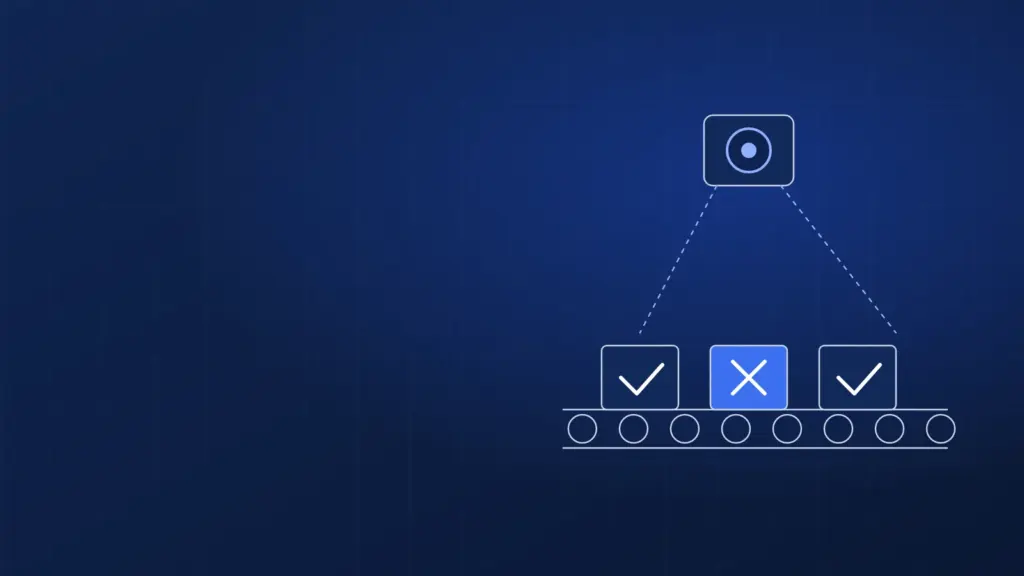
AI visual quality inspection checks every part on the production line, not just a sample, and applies the same criteria on every shift. A model trained on images from your own line runs next to the cameras, while training and retraining happen centrally on GPU servers. Here is how to build such a system, what hardware it needs and where projects usually stumble.
It is written for production, quality and IT/OT managers, and the architecture below does not depend on your camera or PLC vendor.
The problem: manual inspection cannot keep up with the line
After a few hours of looking at identical parts, an inspector starts missing defects. Two people judge the same borderline case differently. On a fast line you sample, and defects between samples reach the customer.
Rule-based vision systems (brightness thresholds, edge measurement) suit stable lighting and uniform parts. They struggle with natural variation: wood grain, fabric shade, reflections on metal. Models trained on examples cope better.
How AI visual quality inspection works
Classic vision models trained on your images
The core is convolutional networks and detection models trained on pictures from your line, in four task types:
- classification: pass or fail, optionally with a defect class;
- detection: the model draws a box around the defect;
- segmentation: an exact outline, useful when defect area matters;
- anomaly detection: the model learns mainly from good parts and flags anything that deviates. Useful when defects are rare.
These models are small and fast enough to run at the line.
Vision-language models for describing defects
Vision-language models (VLMs) can describe an image in words: “scratch of about 2 cm near the left edge on the painted surface”. One example is Qwen3.8-27B, a multimodal model under Apache 2.0 (as of November 2026; the model market changes monthly). VLMs are too large and slow to judge every part at line speed, but useful for complaint reports, pre-labelling and questions such as “which defects dominated the night shift”.
| Approach | What it gives you | Where it runs |
|---|---|---|
| Classification / detection / segmentation | Pass/fail at line speed, defect location | At the line (edge) |
| Anomaly detection | Catches defects not seen before | At the line (edge) |
| Vision-language model | Defect descriptions, help with labelling and reports | GPU server in the data center |
Edge or data center: where to run inference
Inference at the line. The reject decision must fit the cycle time and cannot depend on a WAN link, so the production model runs on an industrial PC with a GPU or an edge module (for example from the NVIDIA Jetson family) at the camera station.
Central training. Training needs plenty of GPU memory and compute, but only periodically: a job for a GPU server in the data center. Keep images in S3 storage with versioned datasets.
The retraining loop. The line station keeps low-confidence and rejected cases. They are labelled and used for retraining, and the validated model returns to the line. Every model version must be documented and reversible; see MLOps for secure AI model deployments.
Data: collecting and labelling images
- Consistent capture: lighting, camera position and background matter more than model architecture.
- Good and bad parts: collect both, across batches, shifts and raw-material deliveries.
- Labelling guide: agree with the quality team what counts as a defect and what is an acceptable deviation. Have two people label a subset independently to expose unclear criteria.
- Data split: separate the test set by day or batch, not at random. A random split inflates results because near-identical images end up in both training and test.
- Pre-labelling: a VLM or an earlier model version can suggest labels, but a person makes the call.
MES and PLC integration and OT security
The vision system sends results two ways. The PLC gets the pass/fail decision that triggers, say, a reject actuator, over whatever your line supports (digital I/O, OPC UA or another industrial standard). The MES gets the full record (batch or serial number, defect class, confidence, image) for traceability.
Agree with the process owner what happens if the vision system fails (line stop or manual inspection), and set confidence thresholds so borderline cases go to a manual station rather than being decided by the model.
OT network security
Vision PCs sit on the production (OT) network, so the usual rules apply: segmentation, no direct internet access, controlled model updates, remote access only over VPN with multi-factor authentication. If cameras can capture workers, restrict the field of view or blur faces, because that is personal data under GDPR.
Some manufacturers fall under the NIS2 directive, depending on sector and size. If yours does, a vision system connected to the OT network belongs in your risk assessment; we can help as part of a NIS2 audit.
Hardware you need
| Task | Hardware | Notes |
|---|---|---|
| Inference at the line | Industrial PC with a GPU or an edge module per station | Depends on resolution, number of cameras and cycle time |
| First model, prototype | Server with one NVIDIA RTX PRO 6000 (96 GB GDDR7) | Enough to train typical detection models and to run a VLM |
| Several lines, frequent retraining, VLM fine-tuning | Multi-GPU server, e.g. Supermicro 5U with up to 8 RTX PRO 6000 or a 4-GPU MGX system | Parallel training runs, faster iteration |
| VLM in the data center | RTX PRO 6000 96 GB | Qwen3.8-27B in BF16 is about 56 GB of weights plus context |
For a GPU comparison see the best GPU for LLMs in 2026. You can rent the server through GPU as a Service or buy it and colocate it with us. We are a Supermicro and NVIDIA partner, and our GPU servers run in a Tier III, ISO 27001-certified data center in Poland. Training comes in cycles, so renting often makes more sense than buying.
Rollout step by step
- Pick one station and one defect type that causes the most complaints or cost.
- Set up camera and lighting; collect images from several weeks of production.
- Agree criteria with the quality team and label the data.
- Train the model on a GPU server and test it on images from other days.
- Run it at the line in shadow mode: the model scores, existing inspection decides.
- Connect the decision to the PLC and MES, with thresholds for uncertain cases.
- Start the retraining loop; recheck performance after material or tooling changes.
Common pitfalls
- Too few defect images, or images from a single batch.
- Changing lighting, camera or mounting without revalidating the model.
- No plan for a vision system failure.
- Vision PCs given internet access “just for an update”.
- Expecting the model to replace the quality team rather than take over repetitive checks.
FAQ: frequently asked questions
How many images do you need to train a defect detection model?
It depends on part variability and the number of defect classes. With rare defects, start with anomaly detection. Only a test on your own images gives a real answer.
Does AI visual quality inspection need a cloud connection?
No. Inference runs at the line, and training can happen on a GPU server in a Polish data center connected to the plant over VPN.
What GPU server do I need to train vision models?
One RTX PRO 6000 96 GB is enough to start; for several lines and frequent retraining, a 4–8 GPU server fits better.
Can an AI vision system connect to my existing PLC and MES?
Yes, usually through digital outputs or industrial protocols to the PLC, and an API or database to the MES.
Is a vision inspection system in scope of NIS2?
Not by itself, but if your company is in scope, devices on the OT network should be covered by risk assessment and security measures.
We can help you choose and run a server for training vision models, rented or colocated, with 24/7 administration. See our GPU servers or contact us to discuss your line.